

Most sales AI tools will happily tell you your pipeline is 30% behind target, that the Baxter deal is stuck in “proposal sent,” or that nobody’s opened your last email. Helpful? Sort of. Actionable? Not really.
What they won’t do is tell you exactly what to say on tomorrow’s pricing call. Or help you roleplay that awkward procurement objection. Or build a Digital Sales Room that’s ready for your buyer to click through.
That’s where Genie Assistant is different.
It’s not just spitting out insights. It’s more like a full-fledged sales coach. It can understand your deals and walk you through each step, from “What’s my next move?” to “Here’s your narrated pitch deck.”
In this article, we’ll explain how to get the most out of Genie Assistant as your personal AI sales deal coach.
What you get from a real AI sales assistant built into enablement workflows
Most enablement products marketed as AI sales assistants are just advanced search AIs. They can surface content, generate some summaries, maybe pull some deal data if they’re hooked up to your CRM.
That’s pretty helpful, as far as it goes.
But what most sales teams really need is more like a seasoned personal assistant and deal coach combined. Someone who knows your priorities, preps you for every conversation, pulls the right documents before you even remember you need them, and makes sure nothing slips through the cracks.
Here’s what a real AI sales assistant can do when it’s integrated with your enablement workflows:
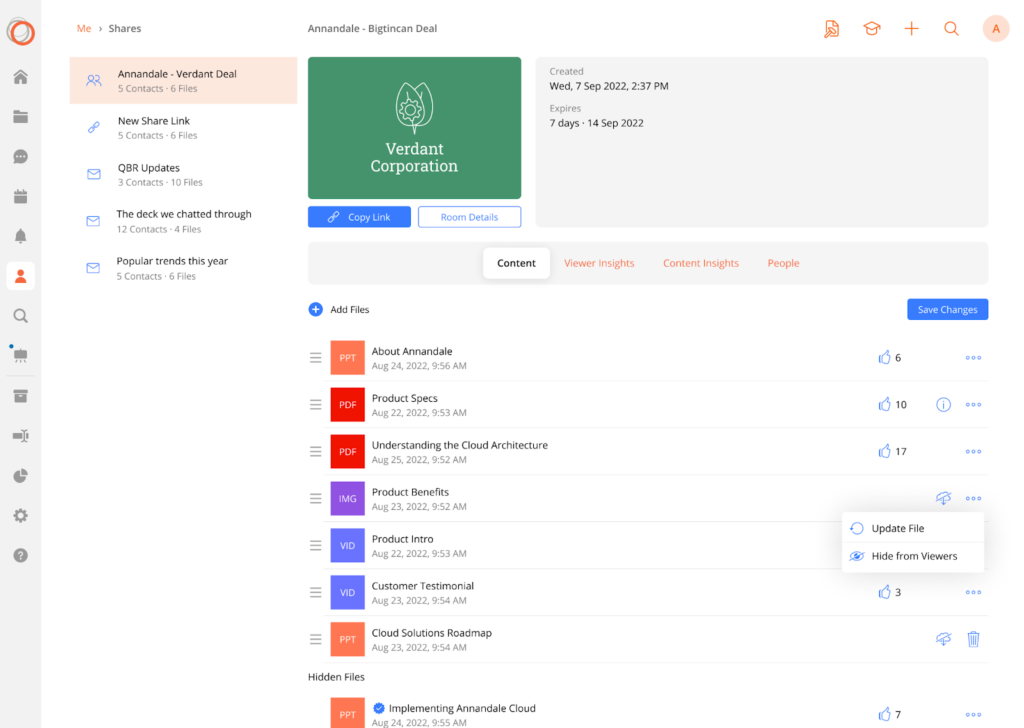
Show you exactly where each deal stands by gauging buyer engagement
A real AI sales enablement assistant gives you a real-time picture of what’s progressed and what’s stalled based on buyer engagement with content you’ve shared. You can see immediately if a proposal hasn’t been opened or if buying committees are viewing and downloading decks and datasheets.
Coach reps with tailored talk tracks and skill-building
Before a key call, it can suggest specific messaging, run a practice scenario, and offer feedback. If a skill gap shows up, it points to the right training so the rep walks in prepared.
Recommend (and even build) the content you need
When a buyer hesitates, it can instantly surface the most relevant case study or create a custom one-pager tailored to their industry and priorities.
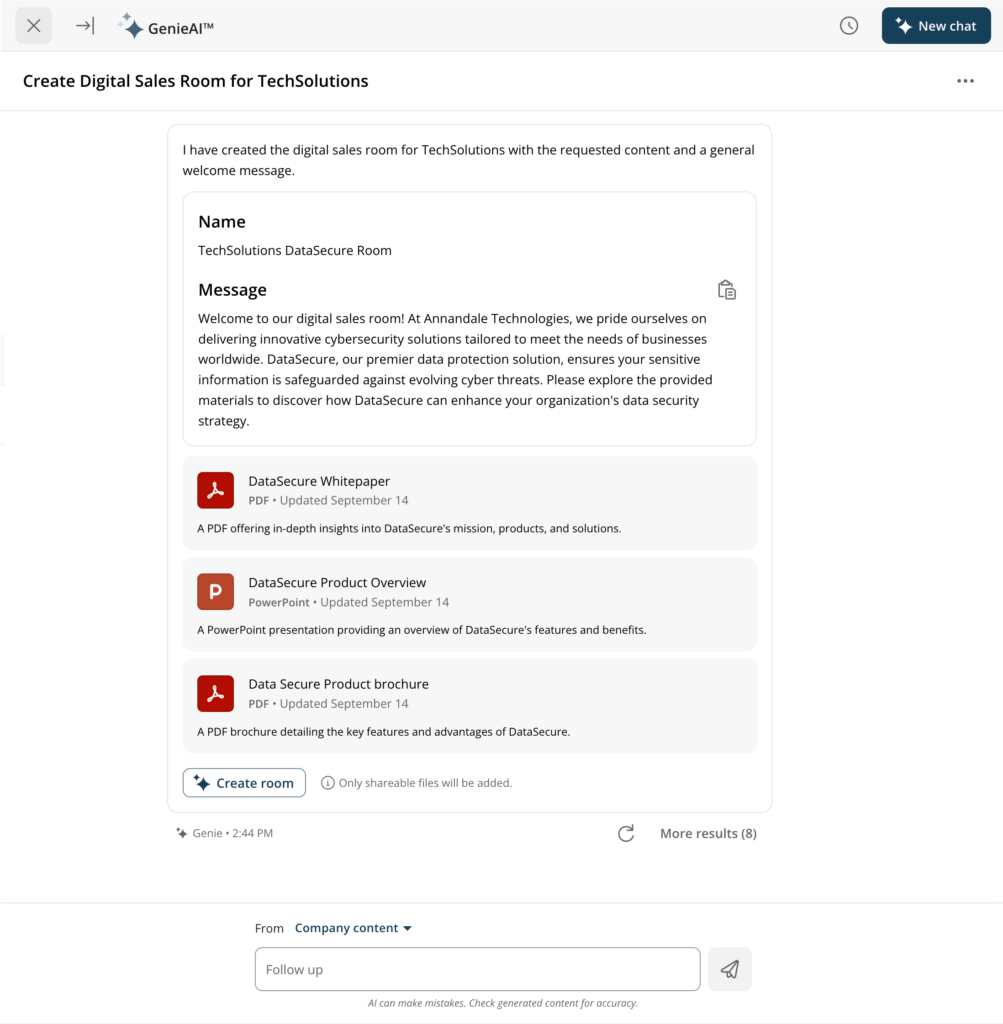
Create personalized buyer experiences
It can assemble a Digital Sales Room just for that deal, stocked with the right deck, demo, datasheets, and meeting links. And also update it automatically as the opportunity progresses.
Free managers from repetitive coaching and follow-up
Instead of fielding the same “What should I do next?” questions again and again, managers should be able to trust the assistant to reliably answer reps’ questions about product changes, prospect challenges, or sales methodology.
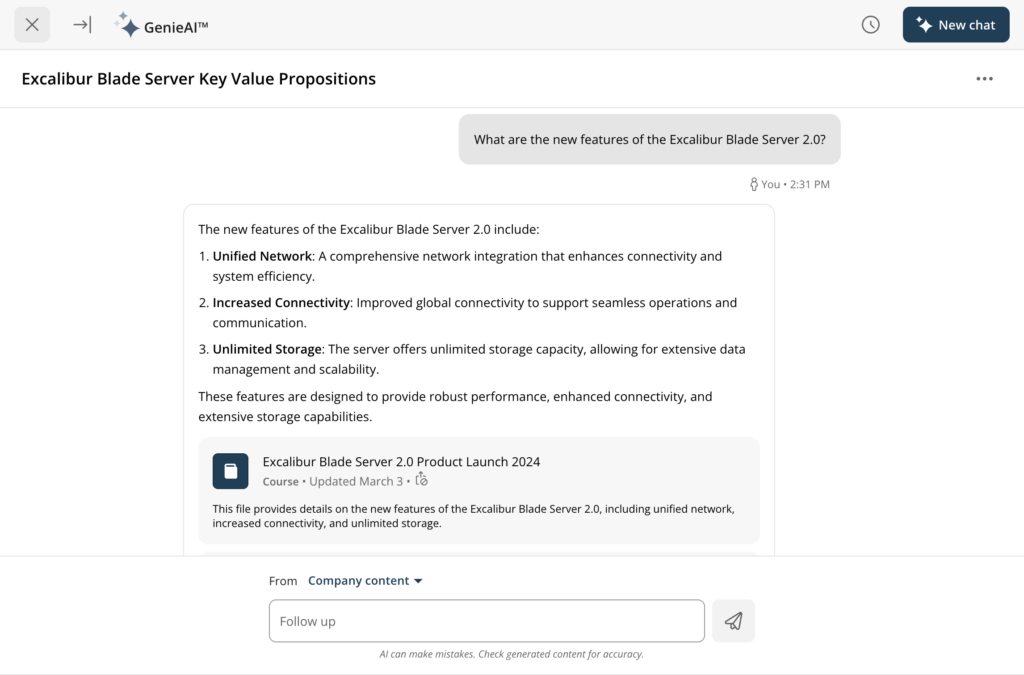
It should also spot skill gaps via enablement analytics and recommend the right training or course without the need for manager intervention.
Step-by-step AI deal coaching with Genie Assistant
Here’s how Genie Assistant works alongside sellers and managers from the first question to the final close:
Step 1: Ask Genie about a deal
You can start in plain language or with a voice command — whatever’s fastest. Ask questions like:
- “How is the Baxter deal progressing?”
- “What’s the next best action here?”
- “What should I say in the pricing call?”
Step 2: Genie reviews the deal context
Genie will pull together the signals — CRM updates, content engagement, buyer behavior, rep activity, and even recent training records — so its advice is based on the full picture, not guesswork.
Step 3: Get tailored coaching
You get actionable guidance for the moment you’re in, such as:
- A clear next best action based on the deal stage
- Suggested talk tracks and objection-handling prompts
- Recommended assets tied to buyer behavior
- Follow-up and cadence ideas to keep momentum going
Step 4: Practice and reinforce skills
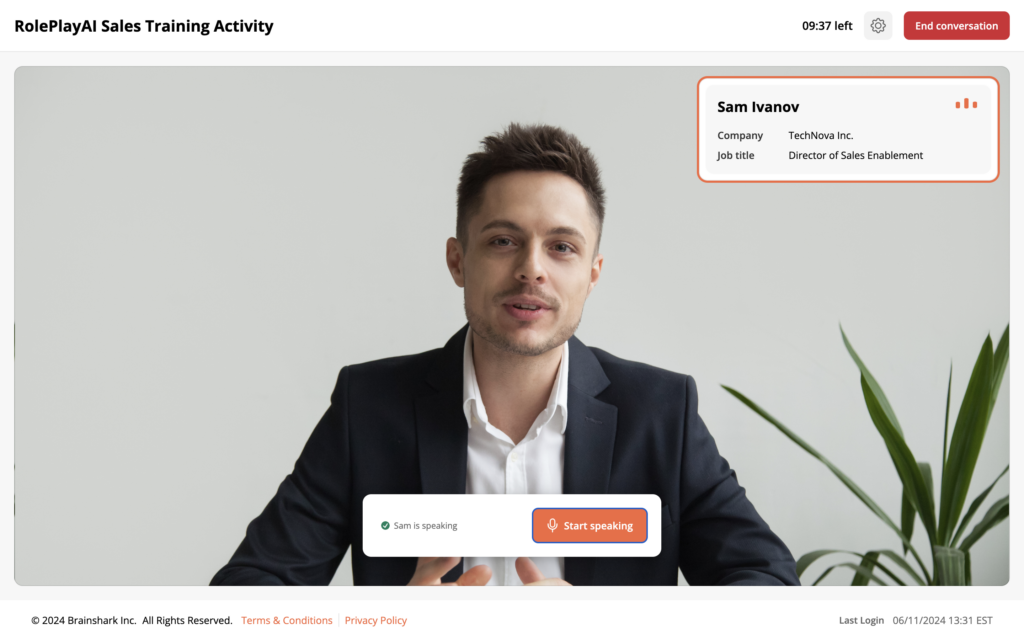
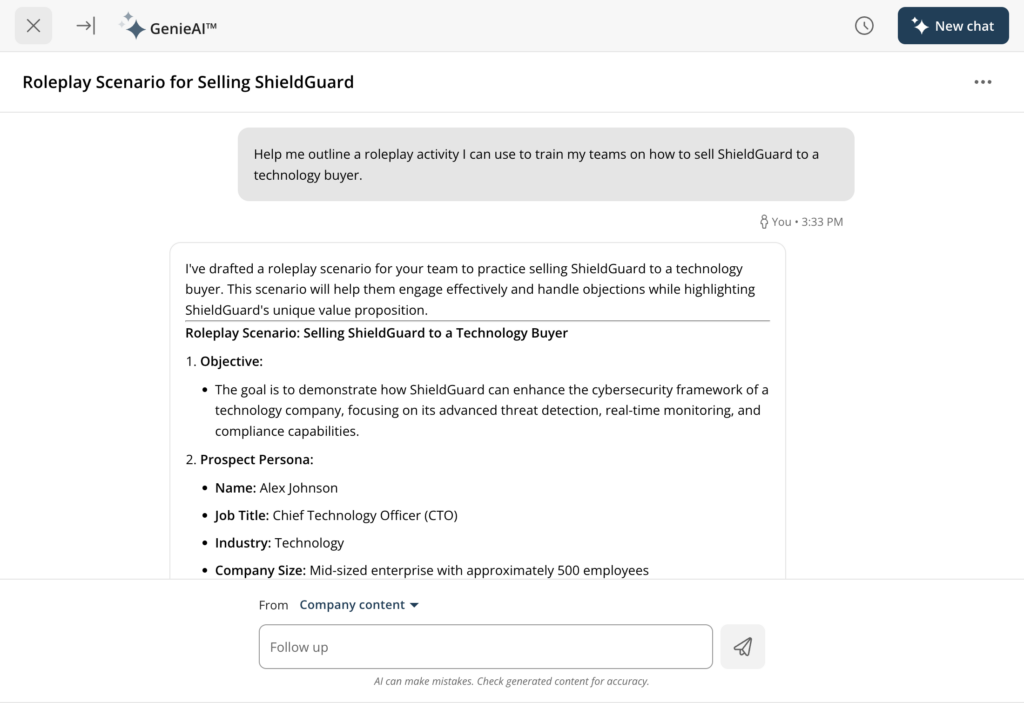
Before a high-stakes call, the assistant can run a realistic roleplay. Reps can practice tough conversations or objection handling, get scored automatically, or have managers review and give targeted feedback.
Step 5: Build a deal-specific digital sales room (DSR)
With a single prompt, Genie can spin up a personalized Digital Sales Room. It comes stocked with the right pitch deck, videos, datasheets, and meeting links.
Step 6: Create and narrate a custom deck
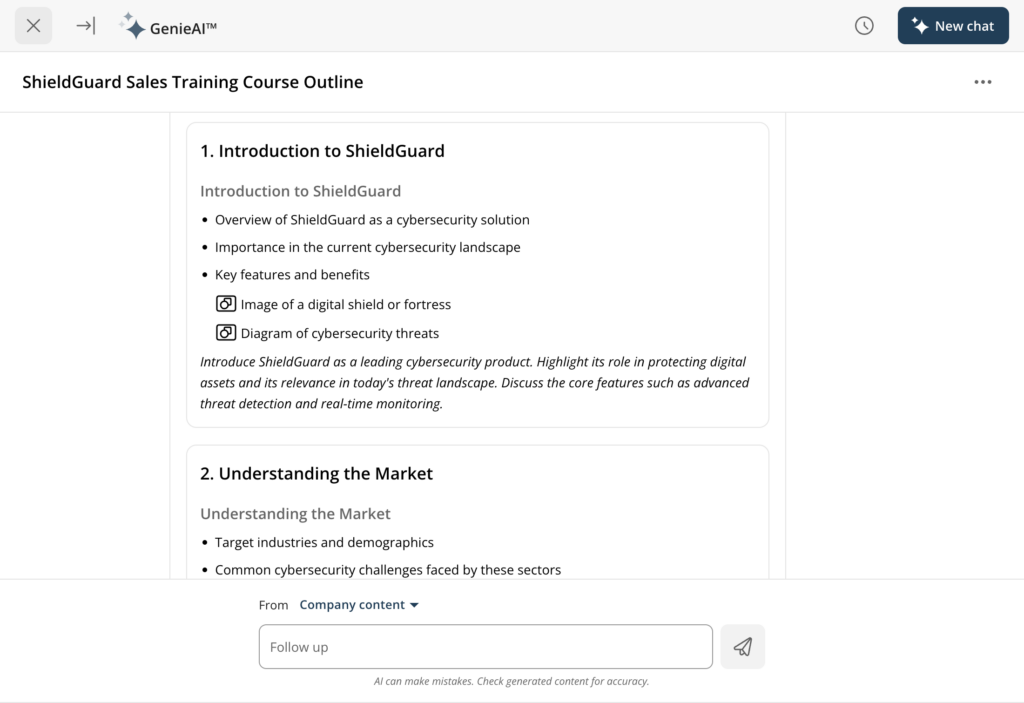
If you need a presentation tailored to this deal, you can prompt Genie to build a branded pitch deck with key messaging.
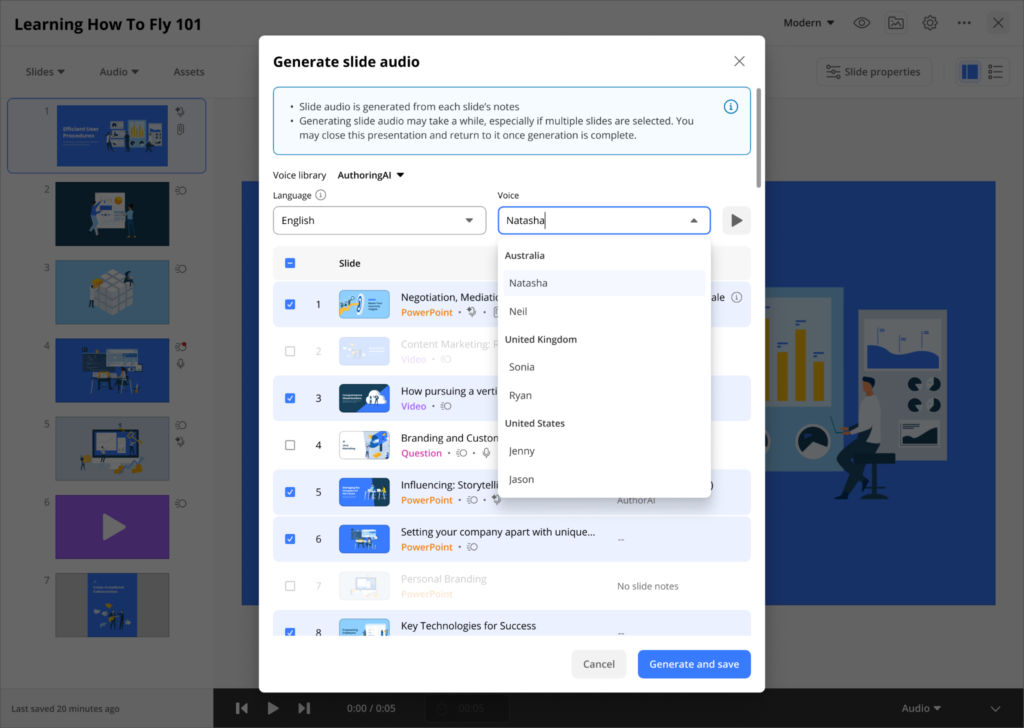
Plus you can add on AI-generated voiceover narration via AuthoringAI (part of GenieAI) so it can be shared as a video or embedded in the sales room. No more need to re-record because your dog barked in the background.
Step 7: Track what happens next
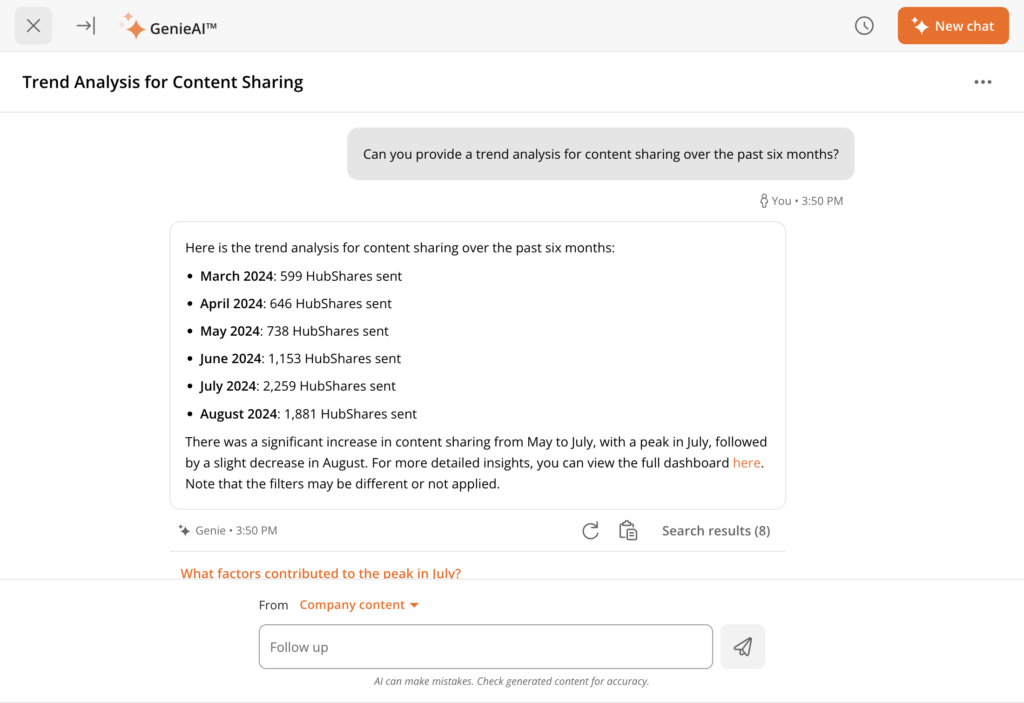
Genie logs every next action: who opened the sales room, which slides were viewed, whether training was completed, and which steps led to forward movement. You’re not left wondering what worked — you can see it.
Why Genie isn’t just “MVP” AI
Frankly, most AI sales tools are just there to check a box. They added a chatbot, a few recommendations, or a dashboard upgrade and called it “AI-powered.” They’re minimally viable AI products — good enough for a demo, but not really at the standard that will make much of a difference to a sales team.
Genie Assistant is built differently. It’s designed to act like a real coach inside your sales workflow, with depth across every stage of the deal.
| Feature | Genie Assistant | Basic AI Sales Assistant |
| Role-based coaching | Yes – coaching tailored for sellers, managers, and enablement leaders | No – or generic “one-size-fits-all” tips |
| Natural language Q&A | Yes – ask any deal, training, or content question in plain language | Yes – usually |
| Roleplay & simulation | Yes – practice tough conversations with AI-generated buyer scenarios and feedback | No – no skill-building, just reporting |
| Digital Sales Room generation | Yes – auto-build personalized rooms with decks, demos, and datasheets | No – requires manual assembly and/or separate tooling |
| AI-created narrated decks | Yes – build and voice over a deck for the buyer in minutes | No – stops at suggesting slides |
| Real-time content recommendations | Yes – match the right asset to buyer behavior instantly | Partial – often disconnected from buyer signals |
| Actionable next steps | Yes – concrete, stage-specific actions to move the deal forward | Often vague – e.g., “Follow up soon” |
| Hands-free voice interaction | Yes – get answers or build assets while on the go | No – no voice capability |
| Tied into training + engagement data | Yes – coaching and content linked to skills and buyer engagement | No – operates in silos |
Basic AI sales assistants can probably tell you what’s happening. Genie Assistant tells you what to do next — and, if you need it, can also build the thing you should send or say.


Genie Assistant can help more than just sales reps
Managers, enablement, and marketing teams can all put Genie to work in their own way:
For sales managers
Spend less time chasing updates and more time coaching deals that matter. Genie can tell you which opportunities need attention. It can also spot where reps might need support, recommend resources to help address those gaps, and even automate follow-up. Plus it can tell you which coaching resources led to better results — so you can double down on what works.
For enablement teams
Turn best practices into something you can actually scale. You can build repeatable prompts that guide reps through calls, demos, and objections the same way your top performers handle them. You can also check that the content you’ve created is actually being used in deals, and which content is getting used the most.
For marketing teams
Stay plugged into the sales process without guessing. Automatically insert the right content into Digital Sales Rooms based on deal context, and see which decks, videos, or narratives get the most traction. You can then use those insights to create even better content in the future.
Also, seeing which content drives deals makes it easier to co-own the pipeline with sales and get credit for your work.
What to ask Genie right now
The easiest way to understand how helpful Genie can be is to start asking questions. Try out a few prompts, like:
- “What should I coach my team on this week?”
- “Roleplay a pricing objection call with me”
- “Create a sales room for Acme Corp”
- “Build a deck for Acme with 3 slides on ROI, then narrate it”
- “Which content helped win deals like this one?”
- “Summarize the status of my top five open opportunities.”
- “Draft a follow-up email for the [prospect name] demo.”
- “What’s the next best action for the [deal name] opportunity?”
- “Give me a talk track for a security review meeting.”
- “Highlight skill gaps for my reps this month.”
- “Pull the most-viewed content in our Digital Sales Rooms this quarter.”
- “Outline a roleplay scenario for a CFO budget objection.”
- “Suggest three assets to share after a pricing discussion.”
- “Generate a meeting agenda for a QBR with [account name].”
You don’t need to try and memorize special phrasing. Just start asking Genie the questions you’d ask a reliable, trusted sales assistant — and watch it go to work.
Your AI sales coach is ready
Other AI sales tools built into enablement platforms give you a dashboard or a search bar. With Genie Assistant, you get a PA, a coach, a presentation team, and a content concierge, on demand.
If your goal is to close deals faster, improve rep performance, and deliver personalized buyer experiences at scale, you don’t need a minimally viable product. You need a most valuable player. And that’s Genie Assistant.
Want to see it for yourself? Get a demo.