
You finally get the green light to upgrade your enablement platform. Yay!
And now, you’re staring down hundreds (or thousands) of files scattered across old tools, shared drives, and random desktops. Not yay.
No one remembers who owns what.
No one agrees on how anything should be tagged.
And everyone is still waiting for you to flip the switch so the sales team can get back to work.
So far, so depressing. But it doesn’t have to be like this.
In fact, more and more customers are coming over to Bigtincan because we make the whole content “lift and shift” process easy for admins and the teams they work with.
Content migration really doesn’t need to feel like a full time job. Here’s what makes it hard — and how we can help.
The admin avalanche no one warns you about when switching enablement platforms
It really doesn’t sound like it’s going to be a big deal. Just move your content from your old setup to your new platform.
Basically should be a drag and drop thing, right?
The reality of content migration always comes as a bit of a shock the first time you do it.
Content chaos is the first thing you face. Files are everywhere — scattered across drives, folders, tools. Plus there’s always that one sales manager that insists on saving everything to his hard drive (*eye twitch*).
No one knows where everything lives. You just KNOW you’re going to lose some of your best stuff.
Once you’ve managed to gather together as much content as you can find, you need to tag it so it gets categorized correctly on the other end.
And that can mean weeks manually reviewing every piece of content to decide how to categorize it by topic, audience, product, region, or other criteria, so users will be able to find it easily.
Not to mention setting permissions for who can view, edit, or share each asset, assigning content owners, and defining review and approval workflows.
Honestly, the thought of organizing and tagging thousands of files is enough to put even the most dedicated (or desperate) enablement team off the whole thing.
Where other enablement platforms make things harder
Not to be obnoxious here, but we do hear these things from our customers. They often find their way to us after they’ve run into a bunch of issues trying to migrate into another enablement platform.
These are the most common horror stories we hear:
They make you do it all manually
Some tools still require admins to tag and organize every file by hand. This isn’t just slow — it creates endless opportunities for human error. (Seriously, how accurate are you going to be after spending three hours adding tags to files? Life is definitely too short for this.)
It’s not just the tagging and organizing that’s manual, either. There’s often no support for bulk uploading — so migration becomes a painstaking, file-by-file task.
They have rigid structures that don’t match the way your team works
Instead of letting you shape content around how your business actually operates, some platforms force teams into fixed folder systems.
Say your sales and marketing teams like to organize content by region and product, but the tool only lets you sort by content type or date. Suddenly, everyone has to learn a whole new system that doesn’t make much sense.
They offer limited help with migration and integration
Many vendors provide the technology but leave the setup — content migration, tagging, and integration — to you. You’re the one who has to figure out how to set up governance systems and make sure everything actually works.
And, if something breaks, you’re on your own. That means logging support tickets, waiting days for a response, and sometimes having to find workarounds just to keep things moving.
Imagine trying to onboard a new sales rep while the system’s search function is down, or content permissions are all mixed up. Not fun.
How Bigtincan makes content migration faster and easier for admins
Bigtincan helps enablement admins and teams get up and running faster by cutting through the usual setup headaches and making ongoing maintenance simpler.
Here’s how:
AI-assisted content migration
You can bulk upload content from wherever it currently lives — SharePoint, Google Drive, or older systems you’re ready to move away from. AI automatically tags and organizes files to save time.
Flexible content organization
Your team can organize content by region, product line, customer segment, or any system that fits your business. Bigtincan adapts to your existing workflows so everyone can find the right content quickly, without changing how they work.
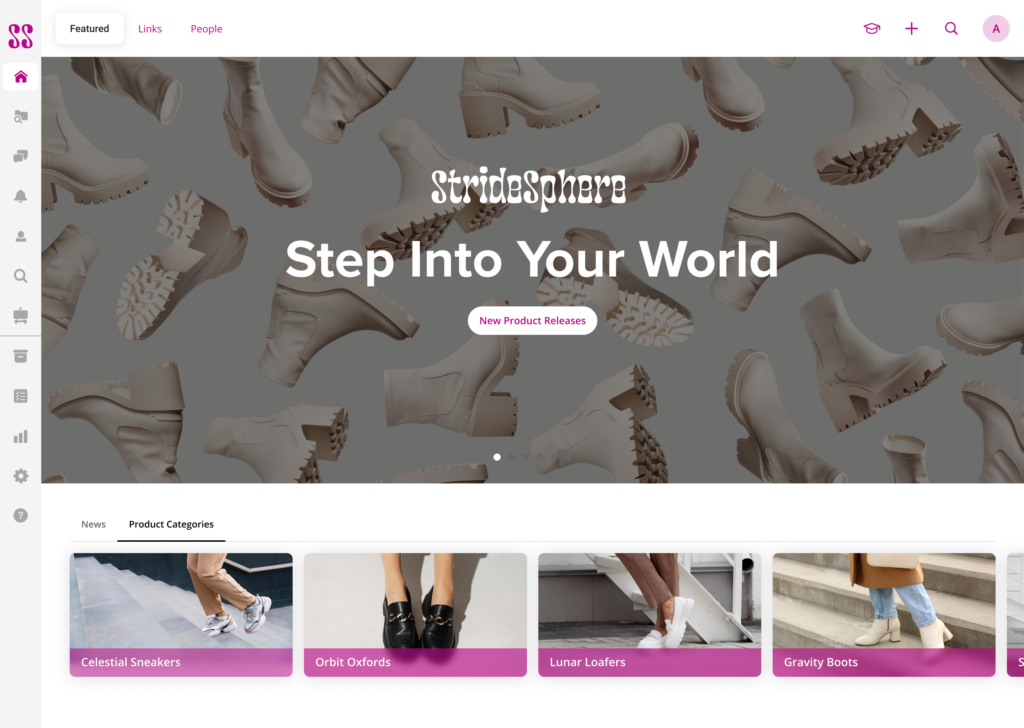
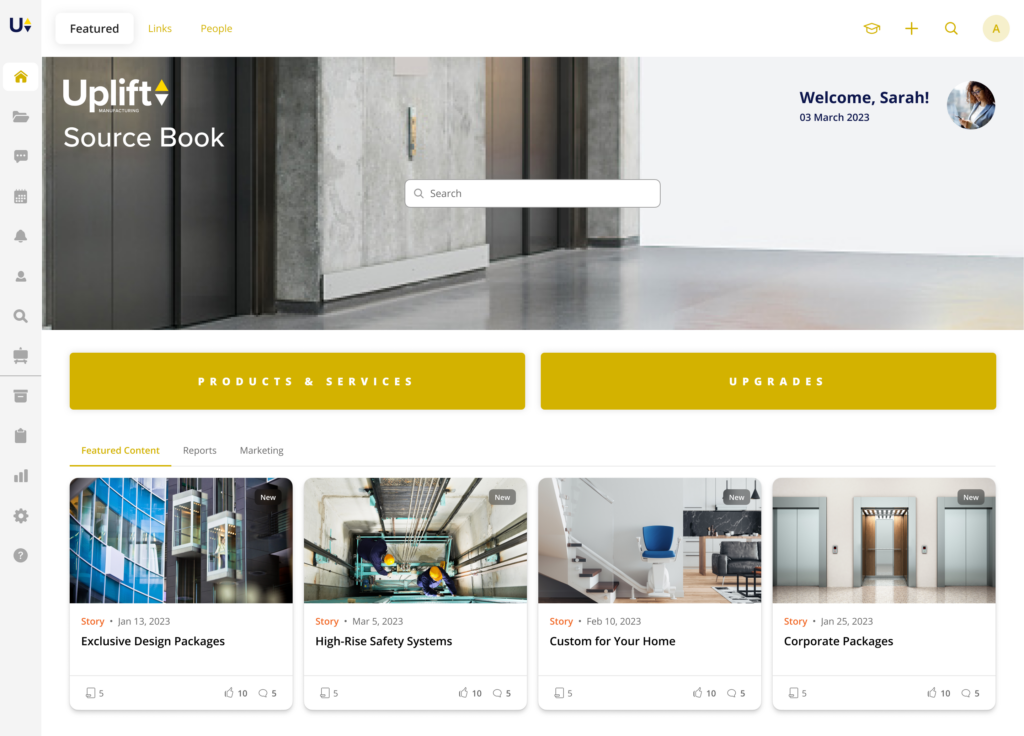
Bigtincan’s centralized content management tools keep your team organized and efficient so they don’t have to suddenly change their workflows, regardless of your industry.
Automated user and group management
Admins can set rules that automatically assign content and permissions based on roles, teams, or regions.
For example, when a new sales rep joins the team, they’ll automatically receive access to the relevant product brochures, training materials, and regional playbooks.
Updates to content permissions happen in real time, so when a team’s scope changes or someone moves roles, their access adjusts instantly. No manual updates needed.
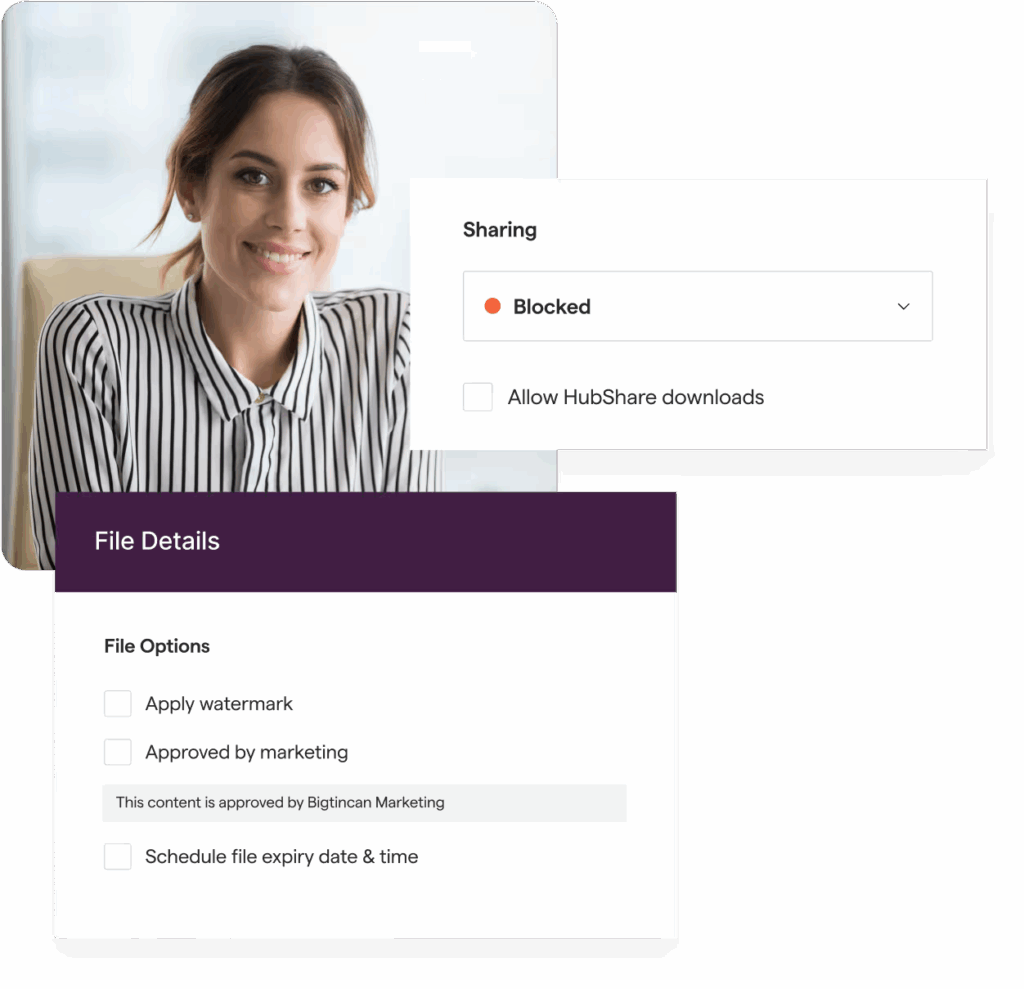
Version Control automatically updates content for all users, across all devices.
Built-in integrations, including Salesforce
Bigtincan connects directly with the tools your teams already use — CRMs, learning systems, and cloud storage — so everything works together from the start.
For example, sellers can find and share the latest content right inside Salesforce without switching apps, and every interaction is automatically tracked in the CRM.
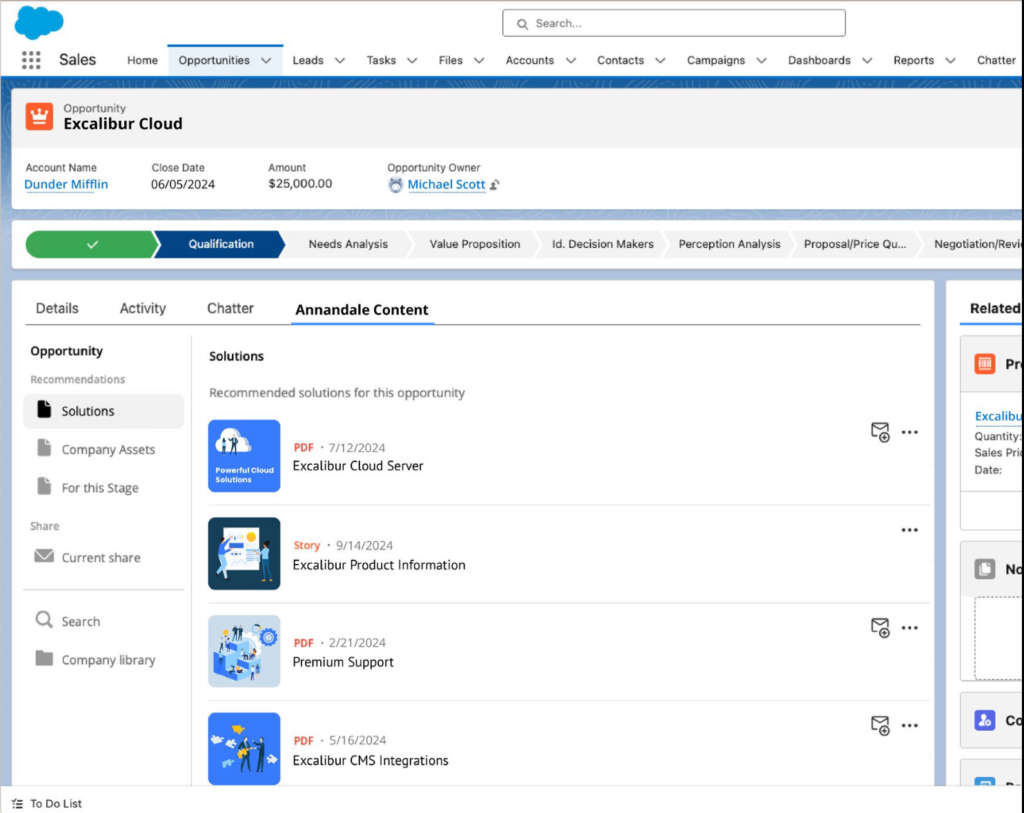
Bigtincan integrates with the tools your team is already using to ensure high adoption.
Does your team use HubSpot? Here’s How to integrate HubSpot with your enablement platform (and get sales and marketing on the same page).
Ongoing content governance and tracking
From day one, admins get a clear picture of which documents people are actually using, who’s looking at what, and how long they spend with each piece.
Every time a document gets shared, it’s automatically tracked and linked to the right sales deal, so admins always know what’s working and what’s not.
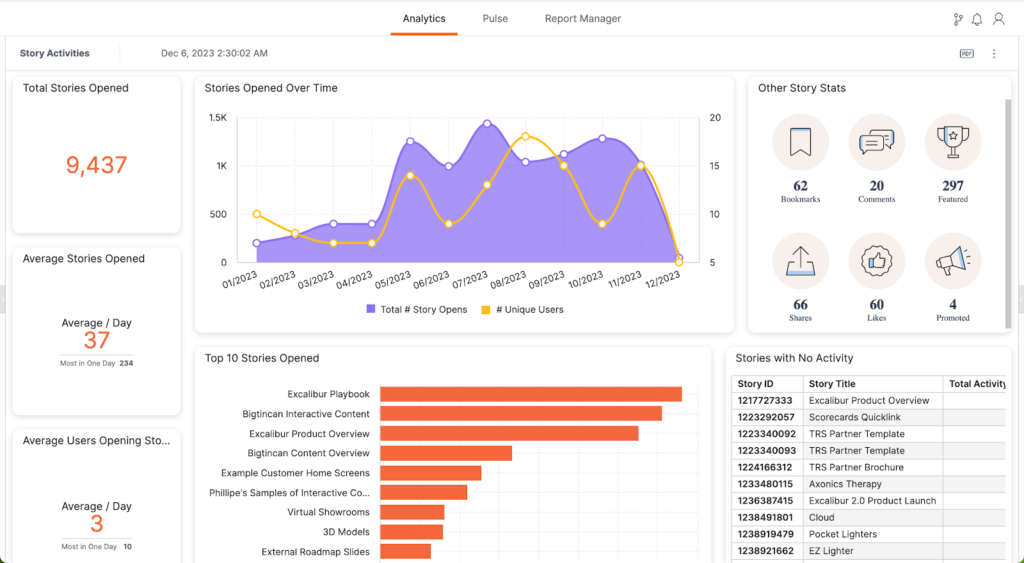
Bigtincan dashboards help you see how your content is performing and how users are engaging with it at a glance.
Real-world setup: how teams move faster with Bigtincan
Here’s how a typical rollout plays out when a sales enablement team switches to Bigtincan.
They start by moving existing content over from tools like SharePoint or Google Drive.
Instead of uploading and tagging everything by hand, Bigtincan’s AI handles the heavy lifting — organizing files and applying smart tags automatically.
They can also set up rules to auto-assign user permissions and content access based on roles and regions.
For example, a sales rep in the West Coast team will automatically get access to the content and training materials relevant to that region, without anyone having to set it up manually for each person.
Most teams are up and running in weeks, not months, without needing extra headcount or expensive consultants.
It’s not just setup — ongoing maintenance stays simple too
Getting your enablement platform up and running is only half the job. The real test is keeping it organized and adaptable over time.
Bigtincan helps teams avoid the usual content sprawl.
You can set expiration dates on materials, so outdated content automatically retires or prompts the right people for updates.
Review workflows send automatic reminders to content owners when it’s time to update a document. That way, everything stays without admins having to chase people down or keep track of deadlines themselves.
Flexible content structures mean you can rearrange or reassign files quickly.
For example, if you launch a new product line or expand into a new region, admins can easily update access rules so the right teams get the latest material automatically.
As your team grows or priorities change, Bigtincan adjusts to support you. When you add new users or launch new products, the system stays reliable and easy to manage so you avoid extra work or unexpected issues.
Modern enablement doesn’t have to be painful
Setting up a new platform shouldn’t take months of manual work, or leave you buried in ongoing maintenance.
You don’t need a big team of admins or months of setup to get your enablement modernized and working.
Bigtincan can get you up and running quickly, so your team can start using it without drowning in admin tasks or endless cleanups.
Want to see how fast you can get up and running with Bigtincan? Book a no-stress walkthrough.